

The Store
The Store is where you get lab time and courses. Click Store in the top bar, or go to arena.roguelabs.io/store.
Any signed-in account can use the Store. If you’re on a team, you can’t buy a Lab plan or hour packs; Rogue Arena staff arrange your team’s lab access. Learner accounts opened from a school or company LMS (cmi5) don’t see the Store link.
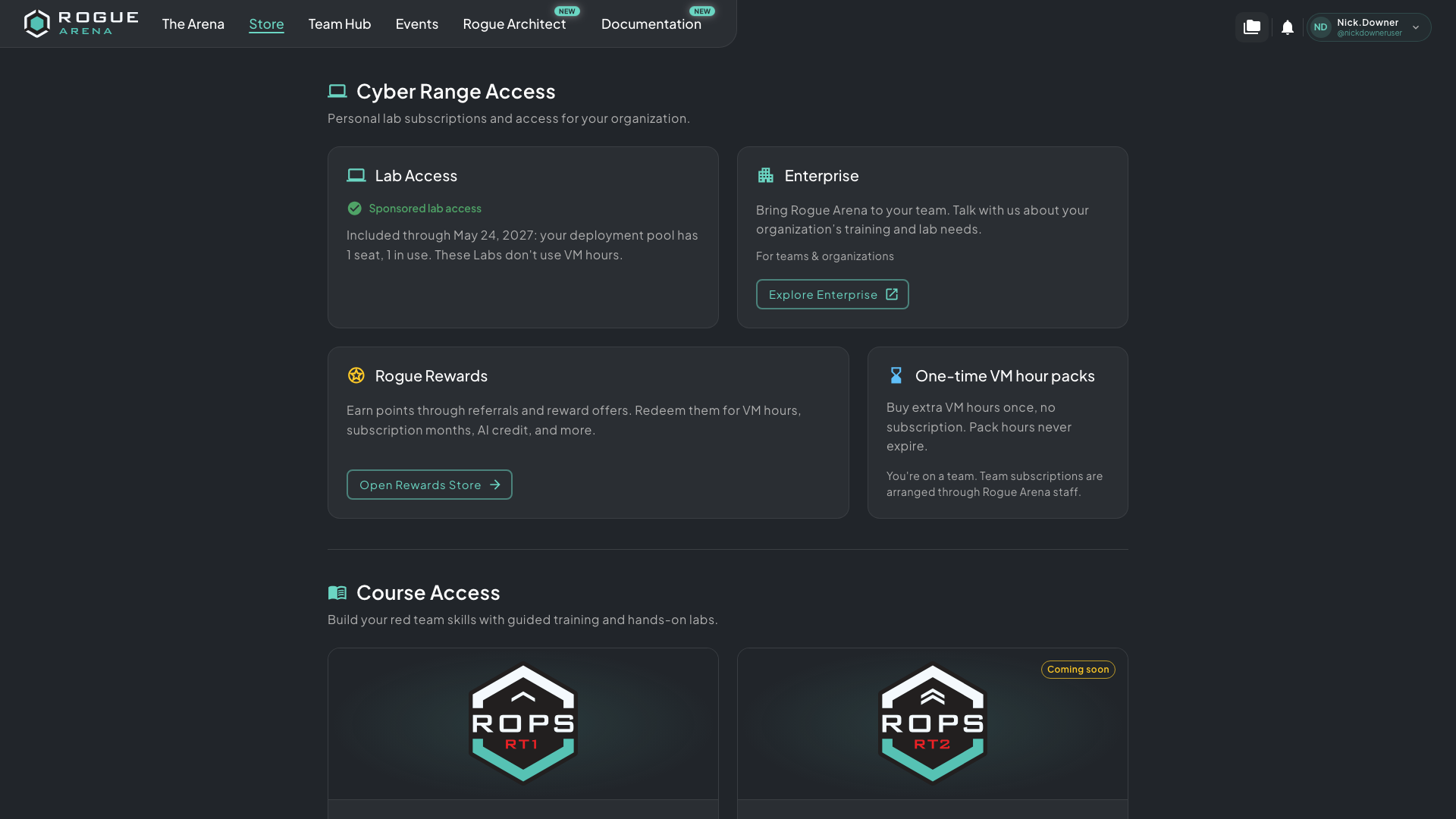 The Store. Lab Access and Enterprise sit at the top, then Rogue Rewards and hour packs, then courses.
Lab Access
Section titled “Lab Access”The Lab Access card tells you whether your labs are covered, and offers the next step:
- No Current Lab Access: nothing covers your labs yet. Click View Lab Plans to choose a plan. See Buying a Lab Plan.
- Lab subscription active: shows your plan and its monthly VM hours. Click Manage lab subscription to open Billing & AI Wallet.
- Subscription needs attention or Subscription payment pending: a plan payment hasn’t gone through. Click Review billing to fix it.
- Staff access, Team access, or a 24/7 access line such as 24/7 course access: something already covers your labs, so you don’t need a plan. Where shown, View access details opens billing.
- Team member: you’re on a team, so the Store doesn’t sell you a plan.
If you cancel your plan, the card reads Lab access active until your paid period ends until the paid period is over.
Enterprise
Section titled “Enterprise”The Enterprise card is for teams and organizations. Click Explore Enterprise to open the Rogue Arena Enterprise page in a new tab and tell us about your organization’s training and lab needs.
Rogue Rewards
Section titled “Rogue Rewards”Click Open Rewards Store to go to the Rewards section of your profile with the Rewards Store open. There you spend Rogue Rewards points on VM hours, AI credit, plan months, and more. See Rogue Rewards and Invites.
One-Time VM Hour Packs
Section titled “One-Time VM Hour Packs”Hour packs are extra VM hours you buy once, with no subscription. Pack hours never expire, and they’re used after your Lab plan’s monthly hours.
- On the One-time VM hour packs card, click Buy hour pack.
- In Buy Hours Pack, choose a pack.
- Pay with your saved Primary card, or click Continue to secure checkout to pay on Stripe’s checkout page.
If you leave Stripe’s checkout before paying, the Store shows Checkout cancelled. You weren’t charged and no hours were added.
Instead of Buy hour pack, the card may say:
- Hour packs coming soon: no packs are on sale yet.
- Your lab access already covers your labs without hours.: your labs don’t need packs right now.
- You’re on a team. Team subscriptions are arranged through Rogue Arena staff.
For how pack hours fit with your other hours, see Hour Packs.
Course Access
Section titled “Course Access”The Course Access section lists Rogue Labs courses with guided training and hands-on labs, such as ROPS-RT1 (Red Team Operator) and ROPS-RT2 (Senior Red Team Operator). Each card opens the course’s page on the Rogue Labs site in a new tab. Click View course to read about a course. A course marked Coming soon has Join the waitlist instead.