

Creating the Plugin
Every plugin starts on the Plugin Dev screen. Open it from the Rogue Architect sidebar — it lists everything you can edit (your authored plugins, plus anything your team or the wider community shared with you) grouped by ownership.
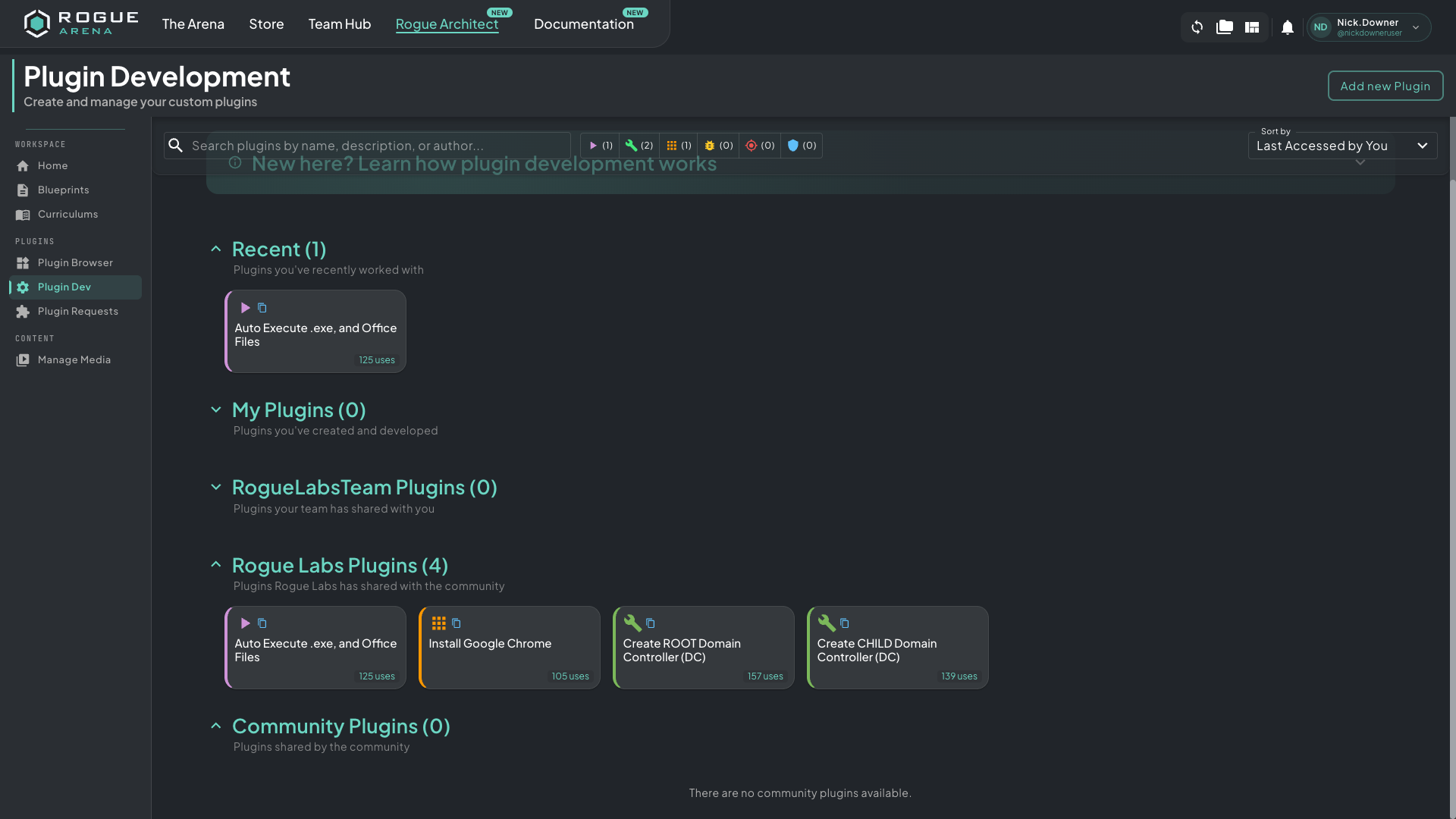 Plugin Dev — your authored plugins, your team’s plugins, Rogue Labs official plugins, and community-shared plugins, all in one searchable view.
From here you have two ways to create a new plugin.
Option A — Start Fresh
Section titled “Option A — Start Fresh”Click Add new Plugin at the top right. You’ll land in the editor with an empty YAML buffer, blank metadata, and no parameters. Use this when:
- You’re writing something brand new that doesn’t resemble anything in the catalog
- You want full control over every parameter, every task, every default
- You’d rather build up than tear down
The blank slate is honest but slow. Most plugins don’t deserve to start from zero — there’s almost always a closer cousin in the catalog you can fork.
Option B — Clone an Existing Plugin
Section titled “Option B — Clone an Existing Plugin”Find a published plugin that does something close to what you want and clone it. The plugin category dropdown maps each plugin to one of six types, and scanning the catalog by category is the fastest way to find a starting point:
- action — workflow steps and machine-state changes (Auto-Log User, Set UI Performance Mode, Restart Windows Machine, Join Domain)
- role — server roles and AD topology (Domain Controller, Child DC, DNS Server, Add Users to Group)
- application — installers and configured software (Notepad++, VLC, Office, Visual Studio, browsers)
- vulnerability — planted weaknesses (kerberoastable accounts, weak ACLs, exposed credentials, misconfigurations)
- attack — offensive tooling for red-team boxes (Kali installers, C2 frameworks, redirectors, recon kits)
- defense — blue-team tooling (EDR/AV agents, log forwarders, SIEM components, monitoring stacks)
To clone, click a plugin you can access, then use Clone to New Plugin from the actions menu (⋮) beside its name. You get a new unpublished plugin with the current YAML, metadata, parameters, and Vault contents — change one thing at a time and run a test build between edits.
Cloning is faster for almost everything. A reference plugin already encodes the patterns Rogue Arena expects (no playbook header, vault staging, validation tasks, idempotency guards). Starting from one of those is closer to correct than starting blank.
After You’re In the Editor
Section titled “After You’re In the Editor”Once the plugin opens, the rest of the work lives in three places:
- YAML editor in the middle — the task list. See Updating the Ansible Code for the rules.
- Top-bar panels — Templates, Dependencies, Tag Parent Plugin, Automated Actions, Parameters, Resources. See Updating Metadata.
- Actions menu (
⋮) — Preview, Clone to New Plugin, Publish or Unpublish, Properties, Sharing, Ownership, and Delete. See Publishing and Sharing.