

Rogue Rewards and Invites
Rogue Rewards is Rogue Arena’s points program. You earn points when friends join with your invite link, when you complete reward offers, and from promo codes. You spend them in the Rewards Store on VM hours, AI Wallet credit, Lab plan months, and other rewards.
Every account takes part, except learner accounts opened from a school or company LMS (cmi5).
To open it, click your name in the top-right, choose User Profile, then click Rewards in the sidebar. You can also go straight to arena.roguelabs.io/user-profile/rewards.
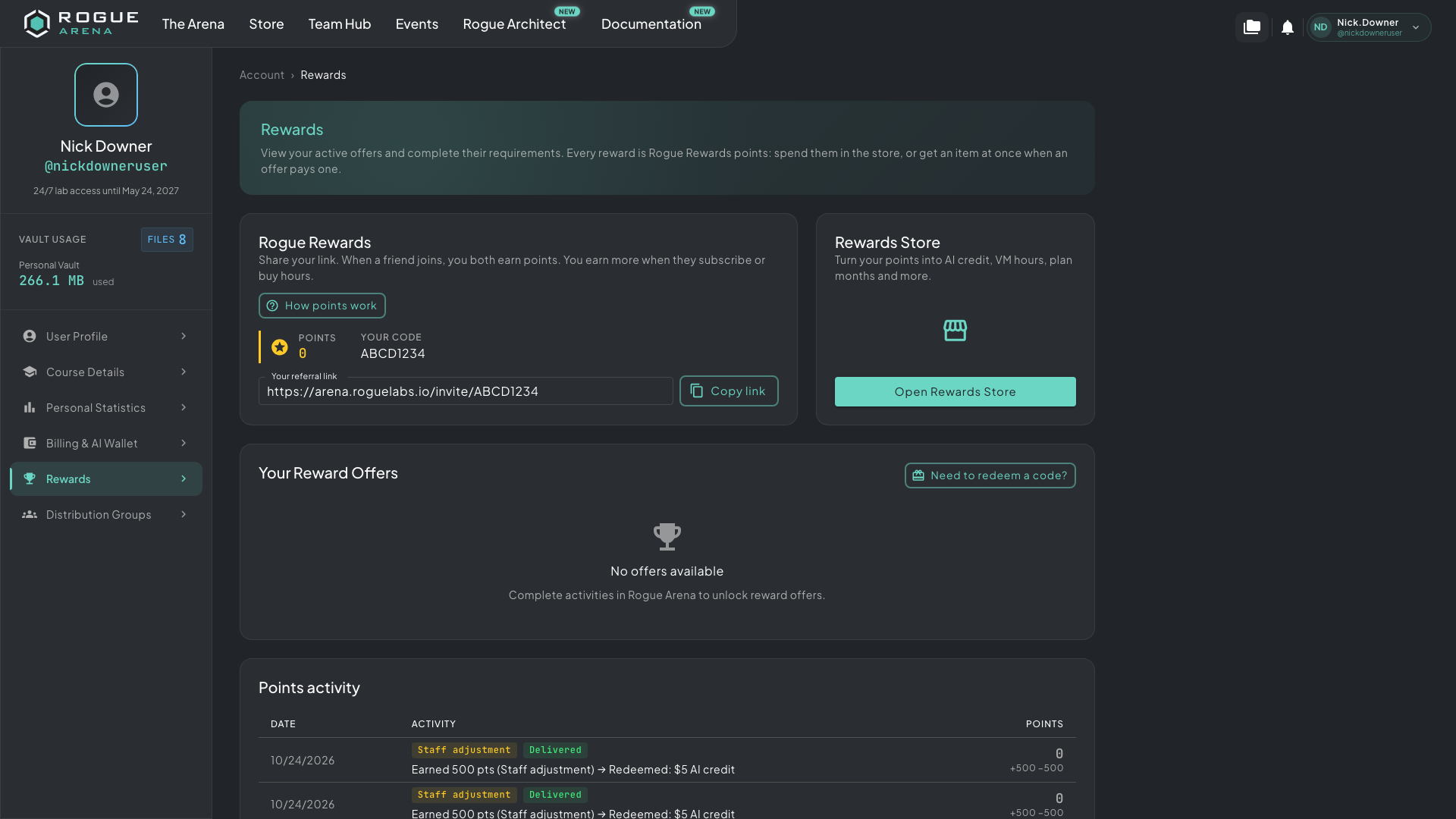 The Rewards page: your points and referral link at the top, then your reward offers and points activity.
Your Points and Referral Link
Section titled “Your Points and Referral Link”The Rogue Rewards card shows your Points balance, Your code, and Your referral link. Click Copy link and share it with friends.
If you joined through someone else’s link, the card says You joined through a friend’s link.
Click How points work for the current details: what each action pays, what the Rewards Store has, and how long the referral window lasts. Staff can change these, so the dialog always has the latest numbers.
How You Earn Points
Section titled “How You Earn Points”- Welcome bonus. New accounts can get a welcome bonus when they first sign in. Joining with a friend’s link can pay a different amount.
- A friend joins. When someone creates an account with your link, you get points.
- A friend buys. When that friend makes a first purchase within the referral window, you get more. Their first Lab plan subscription, and their first AI credit or hour-pack purchase, each count once. Only purchases on their personal account count, and a fully refunded purchase takes those points back.
- Reward offers. Complete an offer under Your Reward Offers. Each offer shows what it pays.
- Promo codes from Rogue Labs.
Points never expire.
A referral counts only for a new account that uses your link within the referral window after signing up. Your own link doesn’t count, and each account can have only one referrer.
The Invite Page
Section titled “The Invite Page”Your referral link opens a public page at arena.roguelabs.io/invite/<your code>. Your friend sees:
- A headline with your username, such as ghost42 invited you to Rogue Arena. If your username looks like your email address or your real name, the page says You’re invited to Rogue Arena instead.
- What joining pays, such as Join and you both get followed by the points.
- Create your account, with Continue with Google, Continue with Microsoft, Continue with GitHub, and Sign up with email.
- Already have an account? Log in.
The invite is applied when your friend signs up, so they should sign up in the same browser where they opened the link. After they sign in, they see Referral link applied. If the link can’t be used, they see why, for example You cannot use your own referral link, This account already has a referrer, or The referral window for this account has closed.
Redeeming a Promo Code
Section titled “Redeeming a Promo Code”- Under Your Reward Offers, click Need to redeem a code?
- Enter the code in Promo code.
- Click Redeem.
The window shows what the code added, such as points or a reward delivered straight to your account. Each code works once per account, and a code can expire or run out.
A promo code link opens the Rewards page with the code already filled in. You still click Redeem.
Reward Offers
Section titled “Reward Offers”Your Reward Offers lists the offers open to you, such as finishing a course or posting a review. Each card shows its status and what it pays. Click a card to see its details.
| Status | What it means |
|---|---|
| Open | Ready for you to complete |
| In progress | You haven’t reached the goal yet, such as a course progress target |
| In review | You sent proof and staff are checking it |
| Completed | The reward was granted |
| Needs attention | A requirement was rejected. Fix it and resubmit |
| Expired | The offer has ended |
To send proof for an offer:
- Click the offer.
- Under Requirements, paste the http(s) link to your review or post.
- Click Submit.
Staff open the link and check it. If they reject it, the reason shows under the requirement. Paste a corrected link and click Resubmit.
Offers tied to a course show your Course progress and the goal. Some pay automatically when you reach the goal, with nothing to submit.
When an offer is granted, its points go on your balance. Some offers pay a reward, such as AI credit, straight to your account instead.
The Rewards Store
Section titled “The Rewards Store”- Click Open Rewards Store on the Rewards page, or on the Rogue Rewards card in the Store.
- Find the reward you want and click Redeem.
- Check the cost and your balance after redeeming in Redeem this reward?, then click Redeem.
Redeem is greyed out when you don’t have enough points.
Rogue Arena staff choose what’s in the Rewards Store, and it can change. Rewards can include:
- VM hours. Some must be used within a set number of days after you redeem them. Others never expire. See Where Your Hours Come From.
- AI Wallet credit for Rogue Oracle. Redeemed AI credit never expires.
- Lab plan months: a complimentary Lab plan with its monthly hours and no subscription. Plan months are only for accounts without a Lab plan subscription. If you have one, the reward shows You already have a Lab plan. A plan month’s hours are for that month, and unused hours don’t carry over.
Points Activity
Section titled “Points Activity”Points activity lists every change to your balance, with its Date, Activity, and Points. Activities include Friend joined, Welcome bonus, Friend’s purchase, Offer reward, Promo code, and Redeemed.
A redeemed reward shows Delivering until it arrives, then Delivered. If a reward can’t be delivered, your points come back and the row shows Points returned.