

Team Permissions
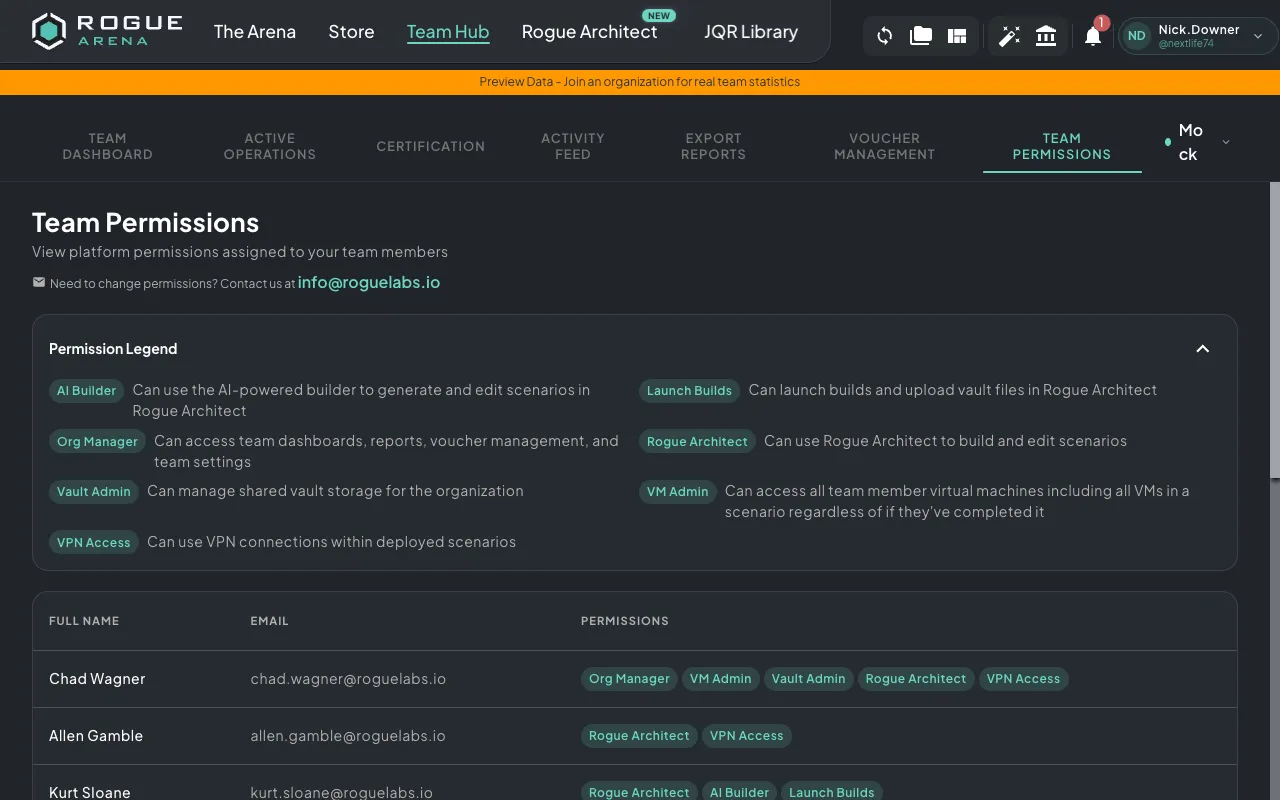
The Team Permissions tab shows a read-only view of all permissions assigned to your team members. This helps you understand who has access to what across the platform.
Required role: Org Manager
Permissions Table
Section titled “Permissions Table”The main view displays a table with:
- Full Name — Team member’s name
- Email — Team member’s email address
- Assigned Permissions — Permission badges showing what each person can do
Permission Legend
Section titled “Permission Legend”Expand the permission legend to see a description of every available permission:
| Permission | Description |
|---|---|
| Org Manager | Can access team dashboards, reports, voucher management, and team settings |
| VM Admin | Can access all team member virtual machines, including VMs in scenarios they haven’t completed |
| Vault Admin | Can manage shared vault storage for the organization |
| Rogue Architect | Can use Rogue Architect to build and edit scenarios |
| Architect Admin | Can manage team Rogue Architect scenarios and take ownership of teammate scenarios |
| AI Builder | Can use the AI-powered builder to generate and edit scenarios in Rogue Architect |
| Launch Builds | Can launch builds and upload vault files in Rogue Architect |
| Trusted Builder | Can publish plugins and scenarios to the Rogue Arena community |
| Architect Internet | Can enable internet access inside Rogue Architect build environments |
| Deployed Internet | Can enable internet access on deployed published scenarios |
| Unlimited Plugin Storage | Can use unlimited storage for Rogue Architect plugins |
| VPN Access | Can use VPN connections within deployed scenarios |
| Media Upload | Can upload files to the media microservice |
| JQR Admin | Can manage Job Qualification Records for the organization |
| Distribution Group Admin | Can add and remove scenarios from distribution groups |
| Idle Shutdown Exempt | Virtual machines will not be automatically shut down due to inactivity |
Changing Permissions
Section titled “Changing Permissions”Permissions are managed by Rogue Labs. If you need to change a team member’s permissions, contact [email protected] with the details of the change you’d like to make.